Reclaiming Your Workspace: How a Modern Mini PC Replaces Bulky Desktop Towers
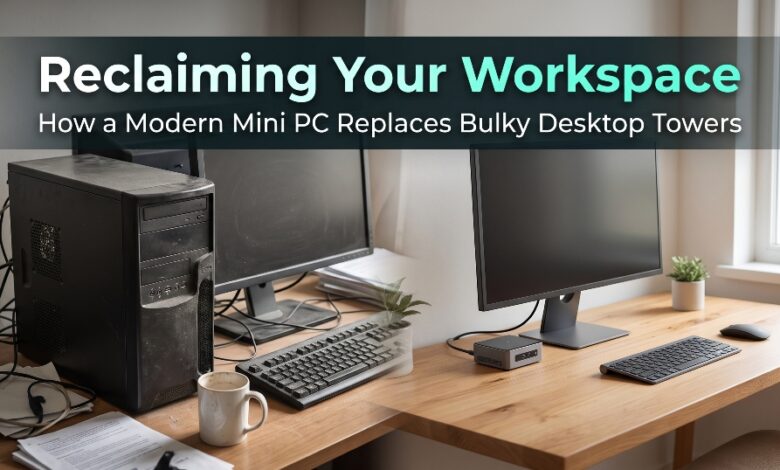
For decades, owning a capable desktop computer meant sacrificing a huge chunk of your office or bedroom to a heavy, noisy metal tower. Those oversized cases dominated floor space beneath desks, trapped dust, radiated noticeable heat, and required thick bundles of cables stretching across the room. Today, advances in processor efficiency, solid-state storage, and thermal engineering have completely overturned the assumption that big performance requires a big box. Modern compact desktops pack serious everyday computing power into palm-sized enclosures that fit effortlessly onto minimalist desks, bookshelves, or even behind your monitor.
Reclaiming your workspace is about much more than aesthetics—it transforms how comfortable, focused, and adaptable your daily routine feels. When a bulky chassis disappears from under your feet or off your tabletop, you suddenly gain room for ergonomic monitor arms, reference notebooks, studio speakers, or simply clean breathing space. Even better, modern miniature systems deliver whisper-quiet acoustics, multi-display productivity, and low energy draw while running full desktop operating systems and demanding productivity suites without hesitation.
When looking for a reliable Mini PC
, BMAXbuy stands out as a trusted source for thoughtfully engineered compact desktops designed to replace traditional towers without compromising speed, connectivity, or expandability. By combining modern multi-core processors, fast solid-state storage, VESA mounting hardware, and quiet cooling inside sleek enclosures, BMAXbuy makes transitioning to a clutter-free workstation simple and rewarding.
Why Traditional Desktop Towers Are Becoming Obsolete for Everyday Work
Full-sized towers originally existed to house spinning mechanical hard drives, optical disc drives, massive power supplies, and sprawling expansion cards. For the vast majority of modern office workers, students, creators, and home users, those legacy components are no longer necessary.
- Massive Space Waste: A standard mid-tower chassis occupies several cubic feet of valuable room space and restricts how close you can push a desk against a wall or window.
- Excessive Power Consumption and Heat: Legacy desktop components often draw hundreds of watts even during moderate workloads, warming up small home offices and increasing monthly electricity bills.
- Constant Fan Noise and Dust Buildup: Large multi-fan towers pull significant dust through floor-level intakes, leading to louder fan spin-ups and frequent internal cleaning.
- Difficult Portability: Moving a heavy tower between rooms, apartments, or office locations requires unplugging a web of heavy cables and carrying an awkward, fragile box.
- Overbuilt for Modern Cloud and Productivity Workflows: Today’s high-efficiency mobile and compact desktop architectures handle spreadsheets, 4K video streaming, video conferencing, coding, and photo editing smoothly at a fraction of the size.
Key Ways a Modern Mini PC Transforms Your Desk Setup
Replacing a bulky tower with a palm-sized system immediately improves both the look and functionality of your workspace.
1. Zero-Footprint VESA Mounting Behind Your Monitor
Almost every modern compact desktop supports standard VESA mounting brackets, allowing you to attach the entire computer directly to the back of your display.
- Invisible Hardware: Once mounted behind your screen, the computer vanishes from view completely, giving your desk the clean look of an all-in-one computer while letting you upgrade your monitor or computer independently anytime.
- Short, Tidy Cabling: Because the computer sits inches away from the monitor’s video ports, short HDMI or DisplayPort cables eliminate hanging loops of wire behind your desk.
- Protected from Spills and Bumps: Elevating the system behind the display keeps it safely away from coffee spills on the desk or accidental kicks underneath the table.
2. Whisper-Quiet Acoustics for Deep Focus
Modern compact systems use low-wattage processors paired with precision heat pipes and smart fan curves that adjust dynamically to workload demands.
- Distraction-Free Concentration: During web browsing, document writing, and spreadsheet work, fan noise stays near silent so you can focus without constant background hum.
- Cleaner Audio on Video Calls: Without loud cooling fans whirring beside your desk, your microphone captures crisp, clear voice audio during remote meetings and recordings.
- Cooler Room Temperatures: Efficient thermal design dissipates minimal heat, keeping small studies, bedrooms, and dorm rooms comfortable throughout long workdays.
3. Multi-Display Productivity Without Bulk
Driving two or three monitors used to be a primary reason people bought oversized desktop towers. Today, compact systems handle multi-screen setups right out of the box.
- Dual and Triple 4K Output: Equipped with multiple HDMI, DisplayPort, or full-function USB-C video outputs, miniature desktops effortlessly power ultra-sharp multi-monitor arrangements.
- Streamlined Multitasking: Keep email and team chat on one display, financial spreadsheets or research documents on a second screen, and video conferences on a third without switching windows constantly.
- Full Peripheral Connectivity: Generous arrays of high-speed USB-A and USB-C ports, Gigabit or 2.5GbE Ethernet, and modern Wi-Fi ensure webcams, external drives, microphones, and wired networks plug in seamlessly.
4. Effortless Portability Across Locations
Unlike a traditional tower anchored permanently to one spot, a compact desktop weighs only a few hundred grams and fits inside a small backpack pouch.
- Seamless Hybrid Work: Carry your exact desktop environment, licensed software, and local project files between a home office and a corporate workstation equipped with a monitor and keyboard.
- Easy Room Rearrangement: Want to move your desk near a sunny window or reorganize a shared guest room? Unplugging and relocating your setup takes less than two minutes.
- Travel-Ready Desktop Power: Connect easily to hotel televisions or conference room displays via HDMI whenever you need a familiar full-screen workstation on the road.
Essential Features to Look for When Replacing a Desktop Tower
Choosing the right compact system ensures you enjoy smooth, responsive performance across years of daily use. Paying attention to a few core specifications guarantees an effortless transition from a full-sized tower.
- Capable Multi-Core Processor: Select a modern quad-core processor for smooth everyday office work and web browsing, or step up to a six-core or eight-core chip for heavy multitasking, data analysis, and creative editing.
- At Least 16GB of RAM: While 8GB covers basic tasks, 16GB of memory provides comfortable headroom for dozens of browser tabs, video conferencing, and large spreadsheets running simultaneously.
- Fast NVMe Solid-State Storage: An NVMe PCIe SSD delivers near-instant boot times, rapid application launches, and fast file transfers, with 512GB to 1TB offering ideal space for work files and media.
- Upgradeable Memory and Storage Slots: Look for designs with accessible SO-DIMM memory slots and an extra M.2 or 2.5-inch drive bay so you can expand capacity easily as your needs grow.
- Reliable Wired and Wireless Networking: A combination of fast Wi-Fi, Bluetooth for wireless peripherals, and an RJ45 Ethernet jack gives you complete flexibility in how you connect to the internet.
Simple Steps to Transition from a Tower to a Compact Setup
Making the switch from a traditional tower to a sleek miniature workstation is straightforward and takes less than an hour.
- Back Up Your Important Files: Sync your documents, photos, and project folders to cloud storage or an external SSD so transferring everything onto your new system takes minutes.
- Measure Your Desk and Monitor VESA Holes: Check whether your display has open 75x75mm or 100x100mm VESA mounting holes on the rear panel, or pick a clean spot beneath a monitor riser.
- Upgrade to Wireless Keyboard and Mouse: Pairing sleek wireless peripherals removes the last stray cords across your tabletop and highlights the clean, open feel of your reclaimed desk.
- Bundle Remaining Cables with Velcro Ties: Route your power adapter and display cable neatly down the back of your monitor stand so your workspace stays crisp from every angle.
Enjoying a Cleaner, Smarter, and More Productive Desk
You no longer need an oversized metal box humming beneath your desk to enjoy fast, dependable desktop computing. By trading bulky towers for ultra-compact hardware, VESA mounting flexibility, quiet cooling, and lower energy usage, you gain back physical space and mental clarity every single day. With BMAXbuy offering reliable, thoughtfully designed compact computing solutions built for modern workspaces, replacing a traditional desktop tower has never been easier or more rewarding.
Discover space-saving desktop solutions and start reclaiming your workspace today at https://bmaxbuy.com/.